 United States
 Norge
Norge Sverige
 Suomi
Suomi UK
UK Danmark
It’s not news that accountants are under pressure in their work, but the intensity of that pressure seems to be increasing. This increased pressure has a consequence: one third of accountants stated they make weekly errors due to capacity restraints.

Over the past three years, Gartner research [1] revealed:
- 73% of accountants report an increased workload due to new regulations
- 82% of accountants report increased demands for their work due to economic volatility
Mallory Barg Bulman, a senior director of research at Gartner, commented, “If these financial and regulatory pressures continue to increase, as history suggests it will, the already-limited capacity accountants will be stretched further and increase error rates.”
But how can accounting software reduce errors and burnout for the accountancy workforce?
Xledger is a highly automated online accounting software that helps business owners to eliminate inefficiencies and create streamlined workflows. Book a demo today or click here to find out how our accounting software can benefit your organisation’d financial management.
What to automate in your accounting software, and why?
Automation is the key to eliminating pressure. It isn’t about replacing people; it’s about ensuring the right information goes to the right places and the right people with minimal friction and manual effort.
With automated workflows, including invoicing, bank reconciliation, accounts payable and receivable, and many others, you can save time, reduce human error, and stay compliant with auditing and regulatory requirements.
1. Bank processes
One of the most important areas to automate is the reconciliation between bank statements and cashbook journals. Not only does the automatic posting of payments save time, but it also ensures a level of accuracy that manual checks can’t reliably achieve. Fortunately, bank integrations mean you no longer need to upload a BACS file to your bank.
There are numerous other areas related to the cashbook that are worth automating:
- Routine reallocations
- Automated remittance advice
- Identification of intercompany transactions
It’s also helpful to set automated posting rules for routine transactions.
2. Expense management processes
Expenses can be a hassle for employees as well as accountants, so it’s helpful if your expense system doesn’t rely on heavy employee input. If employees can simply upload a photo of a receipt for your system to categorise and auto-populate key fields with, it’ll take a lot of the friction out of the process.
Let’s take travel expense claims as an example:
- With Xlegder’s mobile app, employees can instantly add their mileage as soon as they park their car, which streamlines expense and helps carbon reporting.
- With ticketed transport claims, our software uses Optical Character Recognition (OCR) that scans an employee’s receipt and automatically uploads it to the system, creating evidence for auditing and efficient expense workflow.

Automate with Xledger
Learn more about how Xledger automates processes for a more efficient finance function.

3. Customer management processes
Customer management revolves around invoices, and few areas of accounting cry out for automation more than this.
Automation helps with issuing recurring professional invoices, mainly by drafting them and automatically sending recurring bills. A highly automated cloud-based accounting system like Xledger will automate almost all of this process. Not only does this increase employee accountability, but it also strengthens cash flow visibility and control.
As a small business, you want to see which customers will enable you to expand, and as a medium-sized multi-entity business, you need increased real-time oversight of your creditors and debtors to ensure your intercompany accounts are balanced.
4. Supplier management processes
Naturally, your invoice process should be automated in the other direction, too, for the invoices you receive and pay.
With Xledger, you can build this automation from the start of your supplier relationship. Xledger can scan the company registration number on an invoice and set up the supplier automatically using an integration with Companies House.
But the system goes further to make accounts payable far easier. Xledger can:
- Match transactions to invoices to ensure bills are only paid once
- Prepay invoices when you post a transaction
- Create purchase order accruals as soon as your organisation receives goods
5. Reconciliation across platforms
Integration is the enabler behind a lot of automation. We’ve already mentioned bank accounts and Companies House integrations – but there’s no real limit for how many integrations your system can or should have. Any further integrations will simply give you more opportunities to place automation in the driver’s seat.
Your accounting software can integrate with your CRM, HR, ticketing systems, or specialised financial technology like smart credit cards. All of this can help your team see the big picture of what’s going on in your organisation, and it can really reduce the pressure when it comes to providing reports.
Automation is paving the way for accountants
Accountants are overloaded in the current climate, but automation can help them produce more value-adding work. To leverage Xledger’s automated accounting solution and learn more about our accountancy-trained implementation and support team, book your free demo today.
References

Article
How to Leverage Accounting Automation to Improve Efficiency
Good finance leaders ensure accounting professionals complete necessary processes on schedule and to industry standards. Great finance leaders invest in the correct tools that automate processes and allow accounting professionals to add value through reports, analysis, and commentaries.

Customer story
Bold Technologies
Bold Technologies is a leading provider of alarm monitoring software. We caught up with Bridget Foster, Director of Finance, to understand how Xledger is working for them.
Webinar
The New Era of CFOs
This speaking session covers:
- How the CFO role is evolving
- How to overcome the financial pain points charities face every day
- What real-time reporting can do for your not-for-profit organisation
Get in touch
Speak to one of our dedicated team members for more information on how Xledger can support your business.
Contact person


Our Solution
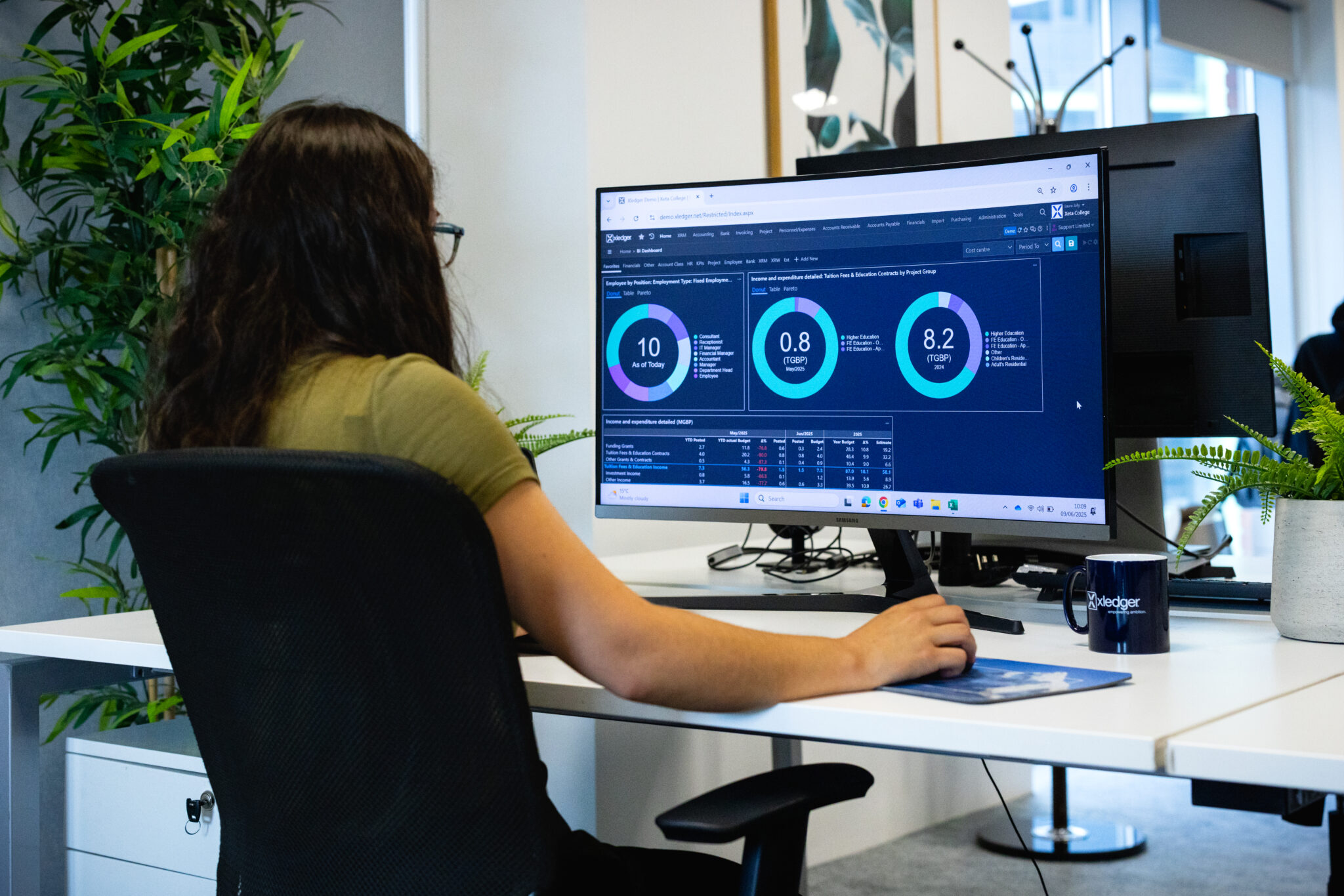
Xledger is a fully automated ERP system, we cover everything from core accounting to in-built expenses to project accounting, and much more. Find out more about what Xledger can do for your organisation.